
How to Revoke Access to a Shared Link
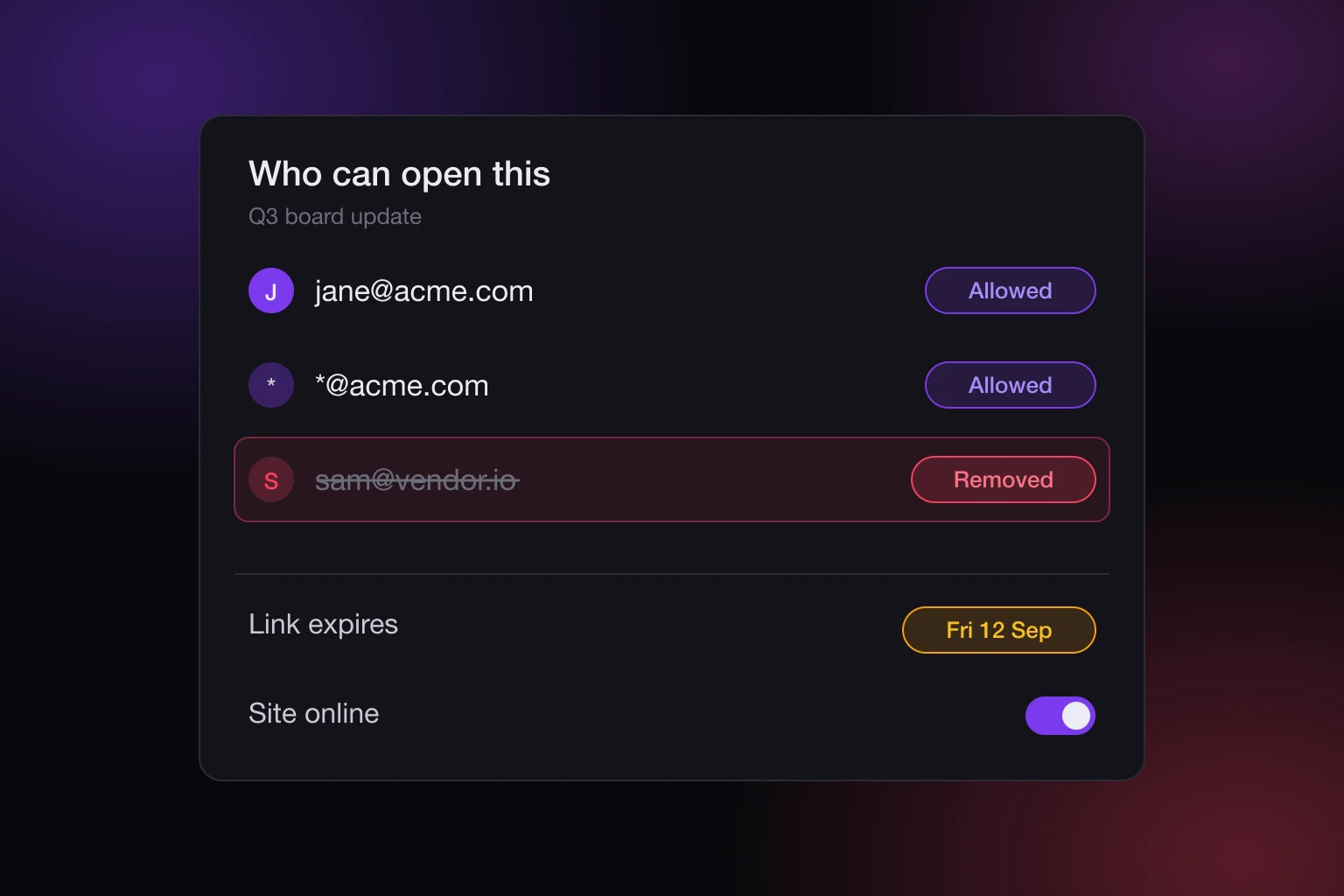
You sent a link to a client, a contractor, or a room full of people on a call, and now one of them should not be able to open it any more. To revoke access to a shared link on SnapHost you have three separate levers, and picking the wrong one either cuts off everybody or cuts off nobody.
How to Revoke Access to a Shared Link
Remove the person from the site's allowlist if one person should lose access and everyone else should keep it. Set a link expiry if the whole link should stop working on a date. Take the site offline if the whole link should stop working right now and you want to bring it back later. All three live in the site's sharing settings, and all three are reversible.
The rest of this post is what each one actually does, in what order to reach for them, and the parts that do not work the way you would assume.
Three Levers With Three Different Blast Radii
The reason there are three is that "revoke" means different things depending on what went wrong.
A contractor rolled off the project: one person, everyone else unaffected. That is the allowlist.
A pitch deck should not be readable after the deal closes: everyone, on a schedule you set in advance. That is expiry.
You published the wrong quarter's numbers and you need the page dark in the next ten seconds: everyone, now, without deleting anything. That is taking the site offline.
Reaching for the wrong lever is the common mistake. Rotating a password because one person left cuts off the other eleven people who had it too.
Removing One Viewer
A private site keeps an allowlist: the exact addresses that may open it, or a wildcard like *@acme.com for a whole company. Each viewer confirms control of their inbox before any content loads, so the entry on the list is tied to a person who proved they read that mailbox rather than to a string that got forwarded.
Removing an address takes effect on that viewer's next request. The page does not consult a cached copy of who was allowed when they first signed in: it reads the allowlist again on each authorized view, and a viewer who is no longer on it is refused with an access-revoked error instead of the content.
There is a small honest gap, and it is worth knowing rather than discovering. A viewer who has the page open at the moment you remove them holds a short-lived delivery token for the files behind it, good for 120 seconds. Their next navigation is refused, but a file the already-open page was still fetching can land inside that window. If the timing matters that much, take the site offline as well and put it back once you have made the change.
A verified viewer's identity is otherwise a rolling 14-day window of inactivity, inside a fixed ceiling of about 90 days. That is how long they can come back without verifying again, and it is unrelated to whether they are still allowed. Being remembered is not being permitted.
Expiring the Link
An expiry is a deadline on the link itself, not on any one person. A link with no expiry never expires. A link with one stops being served the moment the clock reaches the instant you set, and every path checks it: the viewer page and the published page's data calls both refuse an expired link rather than serving around it.
Sites report where they stand: no expiry, active, expiring soon, or expired. You are also warned before a deadline lands, through a sweep that looks ahead 72 hours, so a link you set two months ago does not lapse on a Friday afternoon while you are somewhere else.
Setting an expiry needs Pro, since it is one of the controls that lock a site down. Clearing one is open on every plan, deliberately: if your plan lapses you can always lift a restriction you set earlier, even when you could no longer create it. You can see the plan lines on pricing.
Expiry is the right lever when access has a natural end date and the wrong one when it does not. A deadline you keep pushing out is not access control, it is a recurring calendar reminder that you have wired into your site.
Taking the Site Offline
Offline is the whole-link switch. The site, its content, and every setting are kept; only the link stops answering. Flip it back and everything returns as it was, including the same address.
This is the lever for the ten-second case. You do not have to decide who was allowed, you do not have to pick a date, and you have not deleted anything you will want back in an hour. It is also the one to use while you are fixing something: take it offline, correct the content or the allowlist, put it back.
The Password Is a Second Door, Not a Second Lock
This is the part that catches people out, and it is the reason a viewer you removed can still be reading the page.
A view password on a private site is an alternative way in, not an extra check stacked on top of the allowlist. Someone with the correct password is admitted regardless of the allowlist, and someone on the allowlist is admitted without ever being asked for the password. The two are an "or", not an "and".
So if your site carries a password and you remove one person from the allowlist, they are still holding a working key, as is anyone they passed it to. Removing them accomplishes nothing until you also change or clear the password, which affects everyone who was using it.
Changing the password does invalidate access tokens issued under the old setting, so a published page cannot keep reading the site's data on the strength of the policy that applied before you changed it. But the new password is still one string that everybody shares. A password (minimum six characters, stored only as a hash) is a gate for people you cannot name in advance. It is not a way to revoke one person, and it never will be, because it does not know who anyone is. That distinction is the whole argument in website allowlists vs passwords.
What Revoking Does Not Undo
Everything above controls who can open the link from now on. None of it reaches backwards.
Someone who already read the page has already read it. Someone who screenshotted a chart still has the screenshot. If the page offered a download, the file is on their machine and it is staying there. Removing them stops the next visit, not the last one.
That is not a SnapHost limitation, it is what access control is: a decision about requests, enforced when a request arrives. The useful conclusion is about what you publish rather than how you revoke. Put the result on the page, not every underlying record, and the blast radius of a link that travelled somewhere you did not intend is much smaller.
Confirming It Actually Worked
Every request, verification, view, and denial against a shared site is recorded. After you remove someone, their next attempt shows up as a denial rather than as silence, which is the difference between knowing the change landed and hoping it did. If you have never looked at that history, what an access log tells you walks through the four events and what each one means.
Check the log after a revocation that matters. It takes ten seconds and it is the only way to tell the difference between "they cannot get in" and "they have not tried yet".
Picking the Right Lever
Start from the question of who should still have access when you are done.
If the answer is "everyone except this person", remove them from the allowlist, and change the view password too if the site has one. If the answer is "nobody, after Friday", set an expiry. If it is "nobody, starting now, but I want it back", take the site offline. If it is "nobody, ever, and I do not want the page to exist", delete the site.
The details of each control, including access requests from people who are not on the list, are in the sharing docs, and how the content itself is delivered to an approved viewer is in how SnapHost keeps sites private.
The thing worth internalizing is that revocation is only as good as the identity it is attached to. A link you can withdraw from one named person is a different kind of object from a link that works for whoever is holding it, and that difference only exists if you set the site up with identity in the first place.