
Publish From Cursor Without a Deploy Step
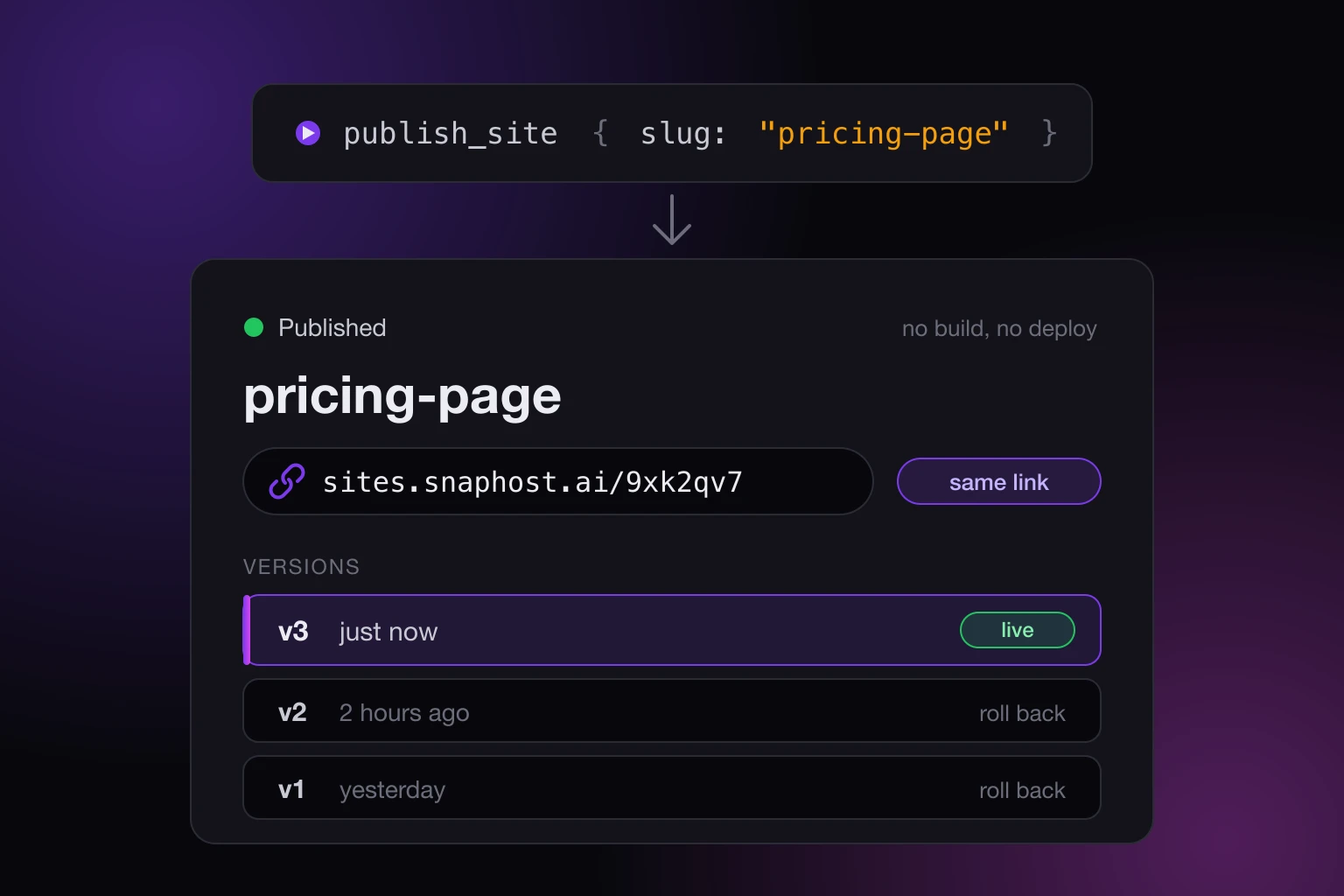
You built something in Cursor and now you want a link. Not a repo, not a pipeline, not a hosting account with a build config: a link you can send to one person this afternoon. Here is how to publish from Cursor without a deploy step: connect SnapHost's MCP server once, then ask Cursor to publish, and it hands you a share link that stays the same every time you publish again.
The rest of this post is the setup, what the publish call actually does, what kinds of projects it works for, and the places where it does not.
How to publish from Cursor without a deploy step
SnapHost runs a remote MCP server at https://app.snaphost.ai/api/mcp. There is nothing to install: an MCP client that supports OAuth points at that URL, a browser tab opens asking you to click Authorize, and the connection lasts until you revoke it. Cursor is one of those clients. Once it is connected, Cursor has a publish_site tool it can call with the page or bundle it just built, and the result is a share link.
That is the whole deploy step. There is no build server to configure, no DNS to touch, and no token pasted into the chat. The MCP server docs walk through the connection for each client.
Connecting Cursor
Two ways, pick one.
The quick way is to paste the setup prompt from the plugin page into a Cursor chat. That prompt tells the assistant to register SnapHost as a remote MCP server, start the OAuth sign-in, and give you exactly one thing to do: open the authorization link and click Authorize. It then proves the connection the only way that counts, by calling list_sites over MCP and showing you the result. An empty list is a pass.
The manual way is to add the server the way Cursor adds any remote MCP server, with the URL above and no headers. On the first tool call the server answers with a 401 that points at its authorization server, the client runs the browser flow, and you approve it once.
If OAuth genuinely cannot run in your environment, create an API token in the SnapHost dashboard and send it as a bearer header instead. Keep it in an environment variable or the client's config, never in the chat, and make one token per agent so you can revoke a single client later without disturbing the others.
What the publish call does
Ask Cursor to publish the page and it calls publish_site with either the HTML of one document or a zip of the whole build. The result includes the share URL on sites.snaphost.ai, which is what you send around.
Give the call a slug and it becomes idempotent. The first publish with that slug creates the site; every later publish with the same slug updates it in place at the same URL. There is also update_site, which takes a site id and replaces the content while keeping the link, the visibility, the allowlist, the link expiry, and the view password exactly as they were. Either way, the person you sent the link to yesterday is looking at today's version.
Someone who already has the page open does not get yanked to the new version mid-read. The viewer page polls for a newer version and shows a small "A new version is available" pill with a Refresh button. They choose when to jump.
Which projects this works for
SnapHost serves files. The bundle can hold HTML, CSS, JavaScript, JSON, images, fonts, and the media a page embeds, and a single Markdown file, notebook, or PDF is rendered into a page at publish time. Nothing runs on the server side.
So the fit is anything that ends up as static output:
- A single HTML page, which is what most "make me a landing page" and "turn this into a dashboard" prompts in Cursor produce anyway.
- A Vite, Create React App, or similar front-end build. Zip the output folder and publish that. SnapHost uses the
index.htmlat the root of the zip as the starting page, or the shallowest HTML file if there is none. - A static export of a docs site or a marketing page.
- A Markdown file, a Jupyter notebook, or a PDF on its own.
What it does not fit is anything with a server in it: an Express app, a Python backend, a Next.js route that needs Node at request time. Those need a host that runs code, and that is a real deploy. If your Cursor project is one of these, SnapHost can still host the front end while the API lives somewhere else, with that origin allowed explicitly (more on that below).
Bundles, sizes, and single-page apps
A bundle may hold up to 1,000 files, weigh up to 50 MB zipped, and 120 MB unzipped. Anything past that is refused, so a build that ships its source maps and a video is worth trimming first.
For a bundle too large to inline in the call, Cursor uses create_bundle_upload: it gets an upload URL, PUTs the zip there (in parts above 4 MB), then publishes with the returned upload_id. The shell does the upload, the MCP connection does the publish, and the MCP server docs cover the one sandbox case where those two channels need different network permissions.
Single-page apps with client-side routing work. Deep-link routing is on by default for a multi-file bundle, so a route like /pricing still resolves when someone refreshes on it instead of landing on a 404. Two build settings make the difference for a React Router app: use a relative base (base: './' in Vite) so the assets resolve under the share URL, and derive the router's basename from the <base> tag SnapHost injects into the page. Ask Cursor to make both changes before it builds; it is a two-line diff.
Anything the page loads from elsewhere
A published page cannot quietly pull scripts, fonts, or data from other sites. Everything not served from the bundle is blocked by default. If your page genuinely needs a CDN script, a font host, or an API you run elsewhere, the site's settings can allow those specific https origins, and Cursor can do it for you with add_external_origins. That is a paid capability.
You will not have to guess which origins matter. When a publish or update lands, the content is scanned and any blocked origins the page tries to load are flagged in the result, so Cursor can read the list back to you and offer to allow them.
Who can open it
Every site has a share link the moment it is published. Whether the link is open to anyone or only to named people is a setting on the site: set_visibility switches it between public and an allowlist, and an allowlisted viewer verifies their email before the content loads. The allowlist tools (add_to_allowlist, remove_from_allowlist, set_allowlist) are the same tools Cursor already has, so "publish this and share it with Dana" is one request, not two products.
A password and a link expiry (both on Pro) are there too, for a page that should stop working on a date. That is the part that makes this different from dropping a build into a public bucket: the Google Drive post goes into why "anyone with the link" is not a policy.
When Cursor "improves" something it should not have
Every publish and update records a version, and on Pro the site keeps its ten most recent. list_versions shows them newest first with their size and timestamp, and rollback_site restores one as the current content. The link does not change, the visibility does not change, and the rollback is itself recorded as a version, so you can move forward again.
This matters more with an AI in the loop than it did when a person typed every change. An agent that was asked to fix a typo and also restyled the header has just shipped that header to your client. Rolling back is one call, and the rollback post has the details on what is kept and what is pruned.
Errors Cursor can act on
Every tool answers a failure with a structured result: a stable code and a readable message. That is what lets the agent do something useful instead of giving up. A bundle_invalid with "Disallowed file type in bundle: script.exe" means drop the file and retry. A plan_limit means the account is at a cap and the fix is on the pricing page, not in the code.
The same shape comes back over the REST API, so an agent that learned it once does not have to learn it twice.
The honest limits
Connecting takes a couple of minutes the first time, and if Cursor only picks up new MCP servers after a restart, you restart it once. A client that cannot run the browser sign-in falls back to the token route, which means a token to create and to look after.
SnapHost is static hosting. If the project needs a running backend, the deploy step comes back for that half, and SnapHost hosts the front end only.
Connecting an AI, the MCP server, and API tokens are on every plan, Free included. Version history, rollback, and serving a site on your own domain are on Pro. The plans page lists the rest. What you get on any plan is the thing this post is about: a link, from the editor you were already in, without a deploy.